Edit video by chatting. Then ship it everywhere.
Just tell EditnShip what you want. It cuts, cleans up and captions your video for you. Then post it to YouTube, or let Auto Post share short videos everywhere.
Just tell it what to do.
Shipmate is a chat box next to your video. Type what you want, like "remove the ums and tighten it up." It makes the edits for you.
It can cut words, add captions, add chapters, add music and more. It can even write your YouTube title and publish. Don't like a change? Just press undo.
Record like a pro.
Record your screen, your camera, or both. EditnShip puts your screen in a clean frame on a nice background. Your face sits in a small bubble in the corner.
On the Mac, every click turns into a smooth zoom. You can also blur the room behind you.
Sound like a real mic.
One click cleans up your audio. It removes background noise and echo. It also evens out your voice.
Want to compare? Play the before and after. You can turn it off any time.
Edit video like a doc.
EditnShip turns your video into text. Delete a word, and it's cut from the video. Move a sentence, and the video moves too.
Need more control? Use the timeline below. It always stays in sync with your text.
Ums and pauses? Gone.
EditnShip finds every "um," "uh" and stutter. Remove them one by one, or all at once.
It also shortens long pauses. And if you said something twice, it keeps your best take.
Captions in one click.
Captions come from your text. So when you fix a word, the caption changes too.
Pick one of 8 styles. Then change the font, color and position. You can even show your captions in 15 languages.
Look great, fast.
Quick design styles your whole video in one click. It adds a layout, captions, a title at the start and a label for each chapter.
Automatic zooms keep talking videos moving. And smooth jump cuts hide the cuts you made.
One video, many clips.
EditnShip finds the best 15 to 60 second moments in your video. Then it turns them into short clips.
Export them tall for TikTok and Reels, or square or wide. Your captions come along.
Straight to YouTube.
Connect your channel once. EditnShip writes your title, description, tags and chapters for you. It can even make your thumbnail.
Or export your video in up to 4K, wide or vertical. You can also save just the audio for a podcast.
Your channels, on autopilot.
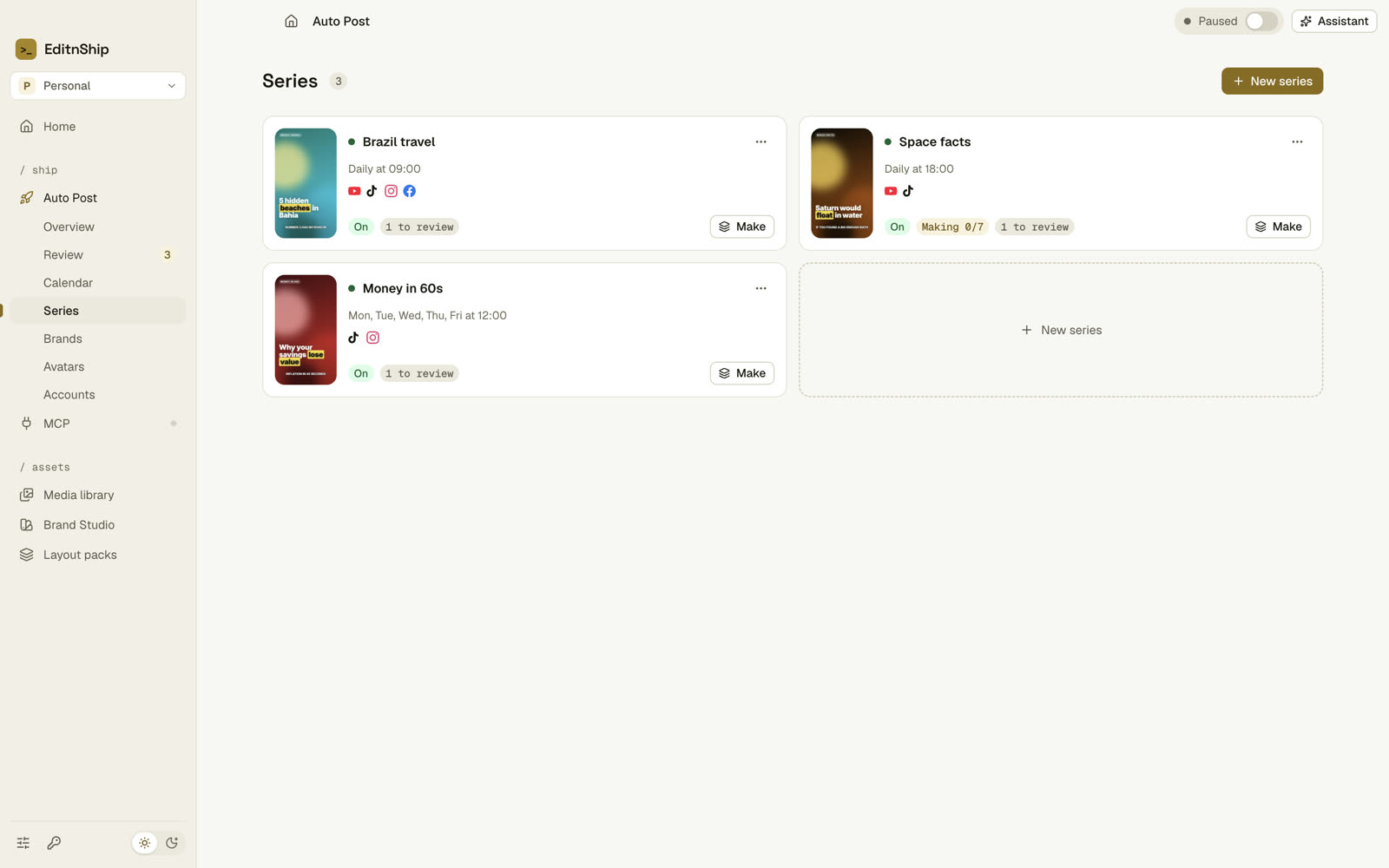
Give Auto Post a topic. It makes short videos about it. You check them. Then it posts them on schedule to YouTube, Facebook, Instagram and TikTok.
Set the language, length, voice and schedule. Just once.
Script, voice, footage, captions and music. All done for you.
Fix a title or a line. Then approve or reject.
Each video goes out at its next open slot.
A month of videos at once.
Tell Auto Post what the videos are about. Then pick a length from 15 to 90 seconds, a voice and a schedule.
Each video gets a script, a voiceover, captions and free stock footage. Then Auto Post checks it for problems, like silence or black frames.
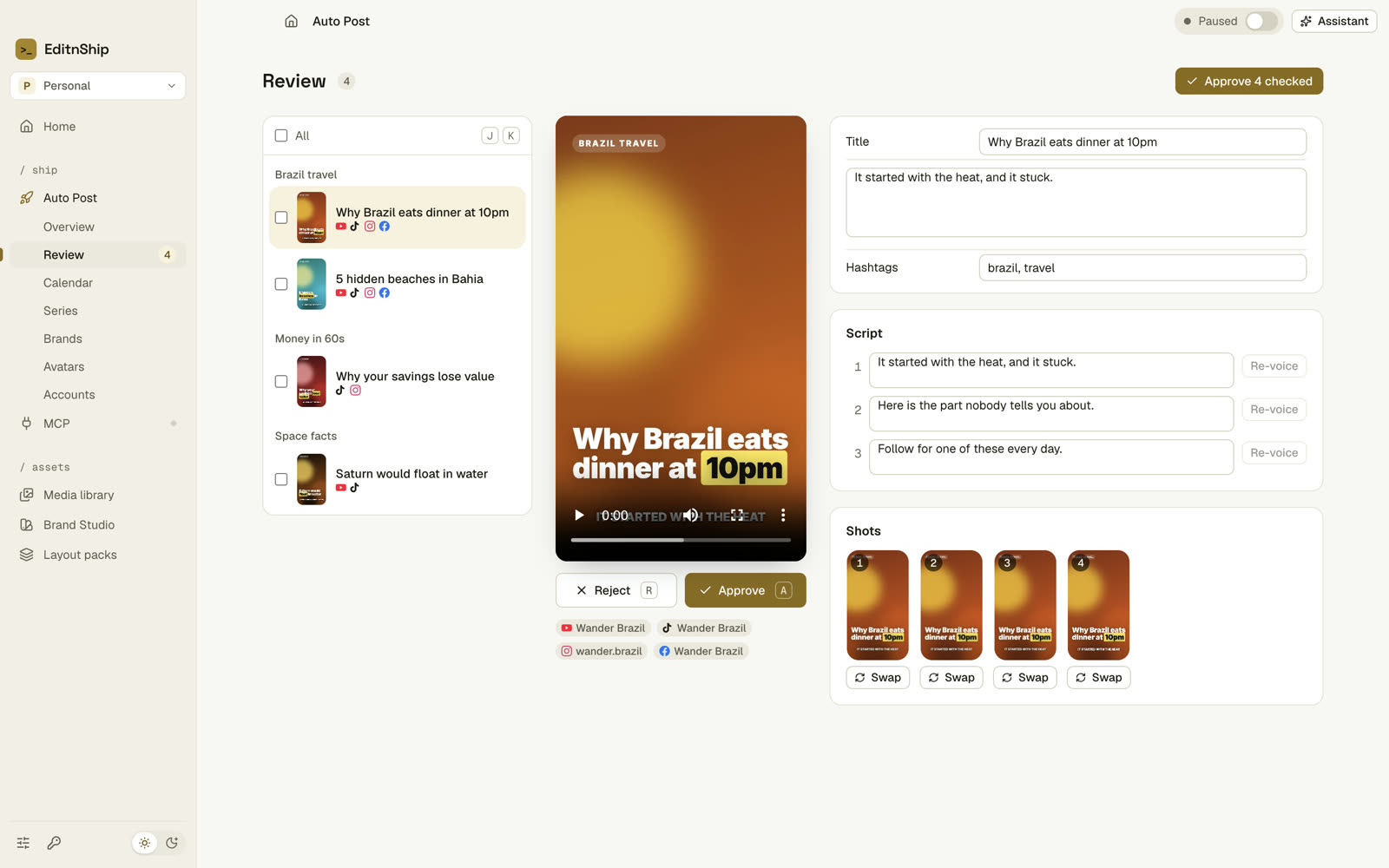
Nothing posts without you.
Every new video waits for you in Review. Change the title. Fix one line and re-record just that line. Or swap a shot.
Happy with it? Approve one video, or all of them at once. Not happy? Reject it.
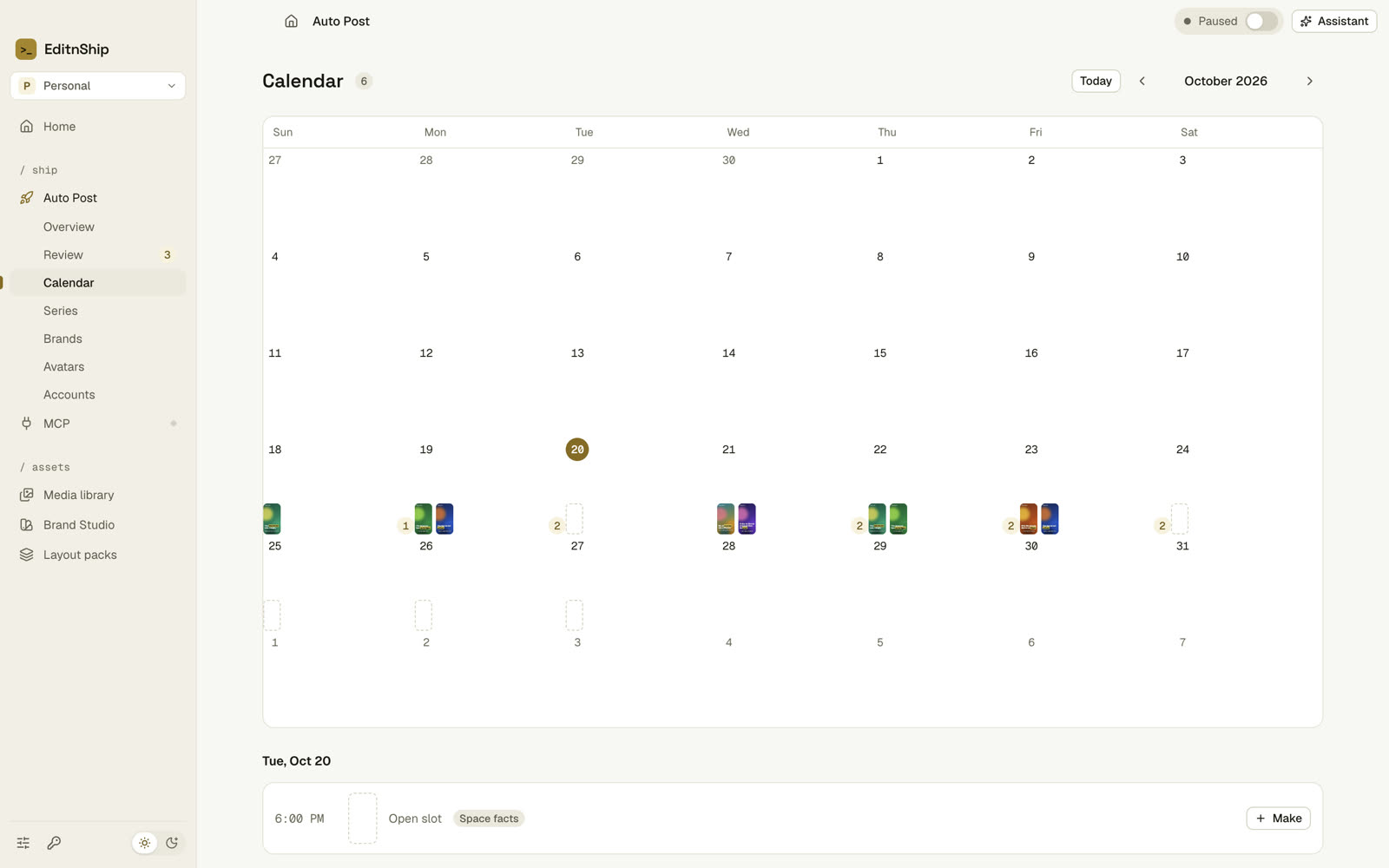
Every post on a calendar.
Approved videos fill your next open slots. You can move, post or cancel any of them.
YouTube and Facebook posts are scheduled ahead of time. So they go out even when your Mac is off.
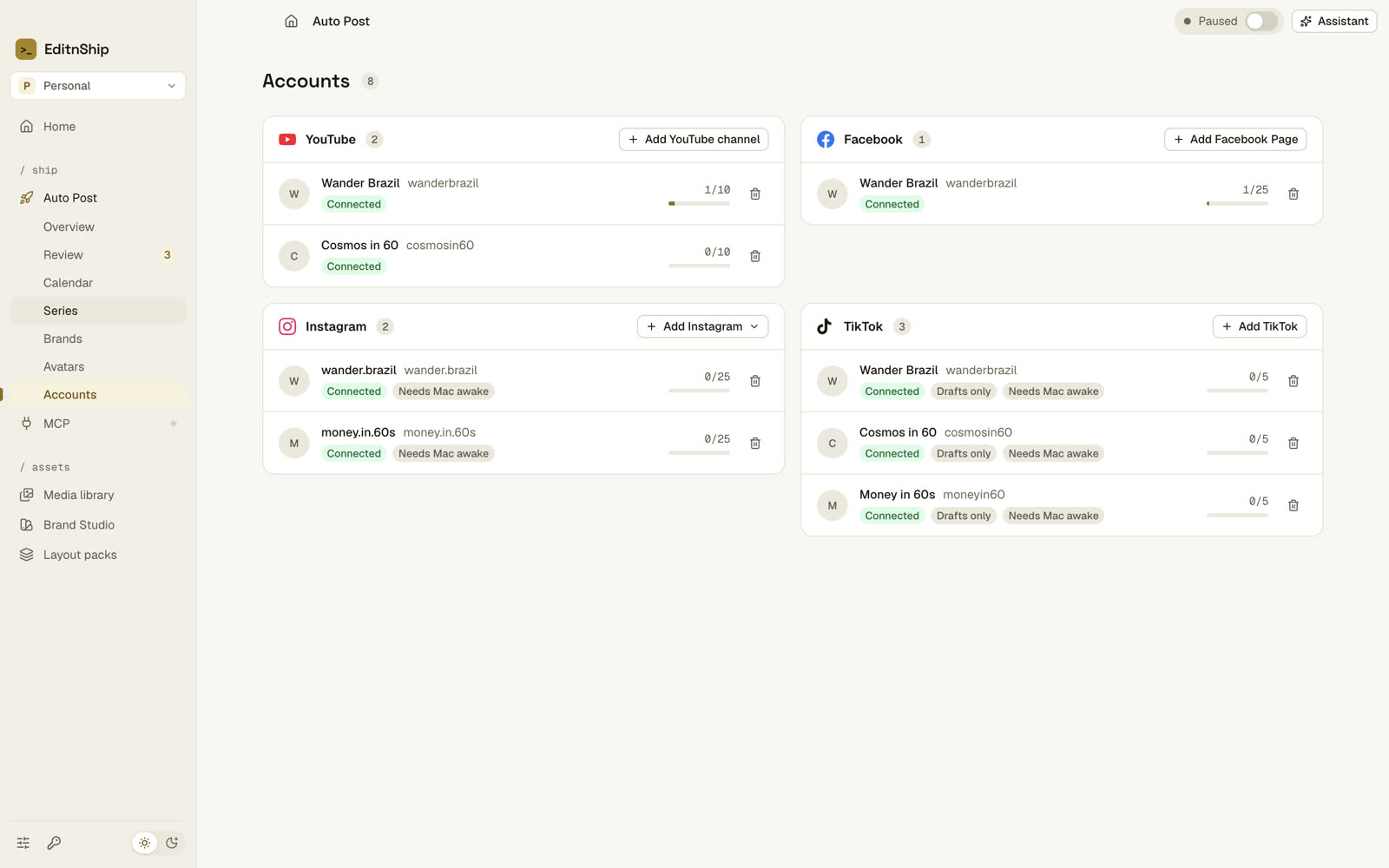
Many accounts, one place.
Connect more than one account on each platform. For example, an English and a Spanish Instagram.
Then pick which series posts where. Your logins stay on your Mac.
Your brand
Add your logo, colors and social links. Each video can start with your brand and end with your handles.
Your avatar
Make an AI copy of yourself from a short video, with HeyGen. Then your avatar can present every video.
Run it by chat
Just ask: "Start a daily channel about space facts." The assistant shows you the cost first.
Auto Post is part of the Mac app. It uses your own AI keys, and the stock footage is free. Instagram and TikTok posts go out from your Mac, so keep it on. TikTok posts arrive as drafts.
Or just ask Claude.
Use Claude? Connect it to EditnShip. Then ask Claude to cut, caption or export your video. You'll see every change happen in the editor.
It all stays on your Mac. And Claude can't publish or spend money unless you allow it.
On your Mac, or in your browser.
Same editor, two places. Your projects stay on your device.
Web app
Nothing to install. Record, edit, clean up and export right in your browser. Your video is made on your own computer, so there's no waiting.
Open the web appMac app
Everything in the web app, plus more. Click zooms, offline transcription, dubbing, Auto Post and Claude.
Download for MacFor Macs with Apple silicon (M1 or newer).
Questions
Is EditnShip free?
Yes. The web app is free. Use your own AI key, or no AI at all. A Pro plan with AI built in is coming soon.
Do I need an AI key?
No. Recording, editing, clean-up, Studio Sound, captions and exports all work without one. You only need a key for chatting, transcripts and AI tools on the web. The Mac app can make transcripts on your Mac for free.
What does Auto Post cost?
You pay the AI and voice companies directly, with your own keys. Auto Post shows you the cost before each batch. The stock footage is free.
Where can Auto Post post?
YouTube, Facebook, Instagram and TikTok. You can connect several accounts on each one. TikTok posts arrive as drafts for you to finish.
What's the difference between the Mac and web apps?
It's the same editor. The Mac app adds click zooms, offline transcription, dubbing, Auto Post and Claude.
My Mac says it can't check EditnShip. What now?
That's normal for apps from outside the App Store. Open System Settings, go to Privacy & Security, and click "Open Anyway" next to EditnShip. You only do this once.
Which browsers work?
Use a recent Chrome or Edge on a computer. If your browser can't run it, the app will tell you.